How to make a pie chart
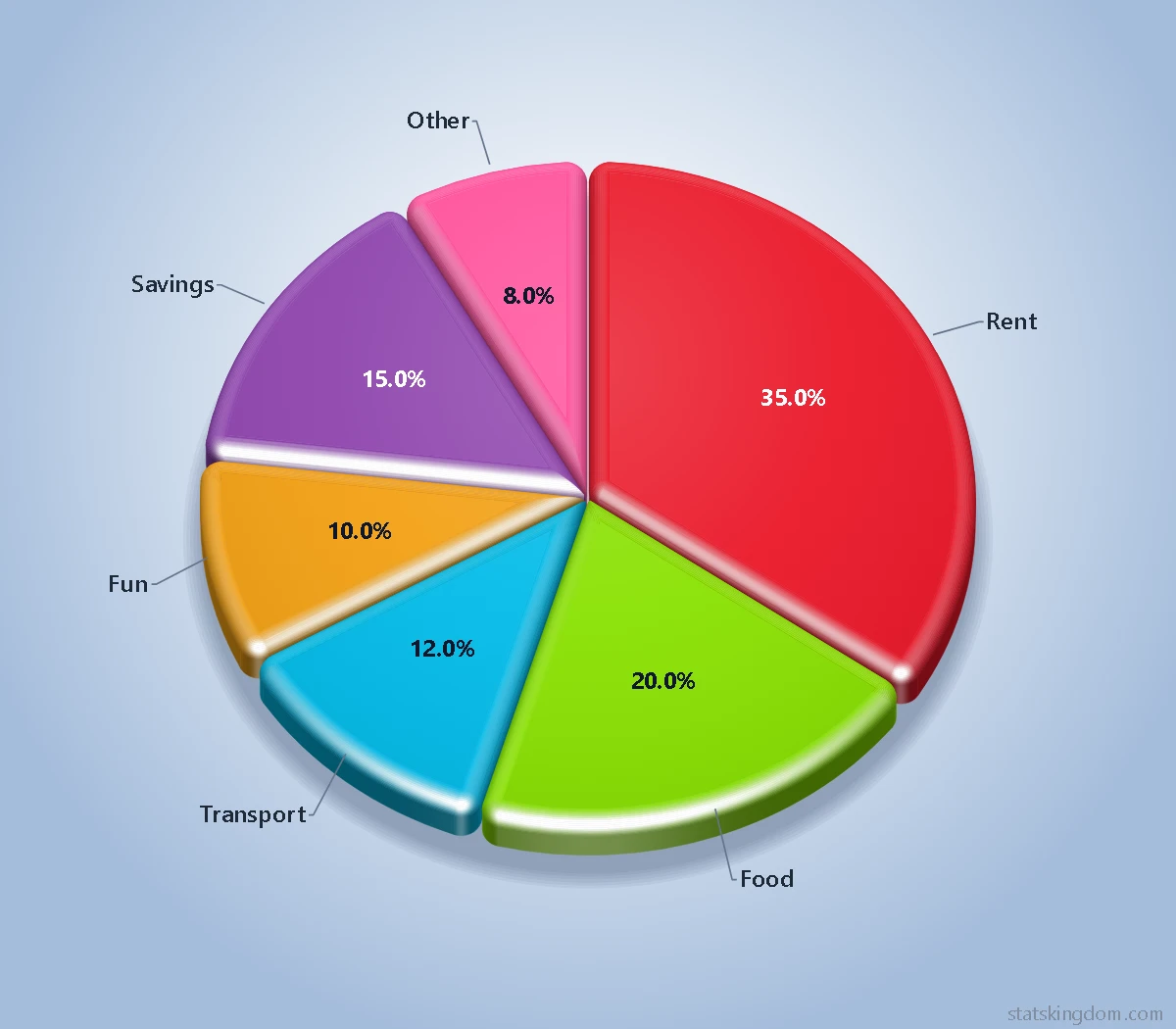
- Pick a chart. In step 1 choose a 3D pie, a multi-depth pie, a 3D doughnut or a 3D polar chart — or the flat (2D) pie, doughnut or polar chart. The data table then fills with a small example, so you can see what goes where.
- Add your data. Give the chart a title, then put the slice names in the first column and the numbers in the next. Type over the example, paste cells from Excel or Google Sheets, or open an .xlsx, .xls or .csv file. Each column of numbers draws its own pie, up to four in one picture. The chart changes as you type.
- Design and download. In step 3 choose a style, the light, the colors and a background, round the edges, open a gap between the slices, and turn the chart by dragging it. Then download it as a PNG picture or an SVG file, or copy it straight into Word, PowerPoint or Google Slides.
Pie, doughnut, polar or multi-depth?
- Pie chart — each slice is a share of the whole, so the slices add up to 100%. It works best with a few parts, about 2 to 6.
- Doughnut chart — a pie with a hole in the middle, which leaves room to compare the outer arcs. Set the hole with Hole size, and write a short message in it with Hole message: it is cut into rows to fit the hole, and each pie (each column of numbers) can have its own.
- Polar chart — every sector has the same angle and its length shows the number: good for values that go round in a cycle, such as months or compass directions. Rings mark the values.
- Multi-depth pie — a 3D pie in which each slice is also as tall as its number, so the biggest part is both the widest and the tallest. The smallest slice sits at the front.
Styles, light and shadow
Ten styles: Classic, Transparent, Glass, Matte metal, Brushed metal, High gloss, Satin, Glossy, Plastic and Soft clay. Each style button shows a small pie in that style, in your own colors. Plastic makes the rounded edges shine like glossy plastic, so it looks best with Rounded or Puffy edges and a small gap between the slices. See every style on every kind of chart in the pie chart examples.
- Light comes from the top left, the top, the top right, the left or the right, and moves the bright side of the pie, its shine and its shadow. Light color goes from 100 (white light) down to 0 (each slice lit in its own color) for a softer look.
- Under the pie: a Soft shadow that falls away from the light, a Reflection in a shiny floor (3D only; Reflection % from 0, none, to 100, like a mirror), or nothing.
- Edges (3D): Sharp, Rounded or Puffy. Rounded gives every slice a smooth top edge that catches the light (Rounding % sets how round); Puffy is as round as it gets, for soft slices like a 3D icon. With a gap between the slices the corners are rounded too, so each slice looks like a smooth block, and the slices meet close together in the middle; tick Hole for a small round hole there.
- Backgrounds: plain colors with seven kinds of shading (Dark has white text), patterns such as graph paper, a notebook page or a chalkboard, and fun patterns such as hearts, stars or cats — the same as on the bar chart maker.
Tips for a clear pie chart
- Gap between slices: Equal gaps are the same width from the centre to the edge; a Proportional gap widens towards the edge. Either way the slices are sized so that, after the gap is cut out of them, they stay in proportion to your numbers.
- Labels: the names, the values and the percents can each go inside the slices, outside them with a line, or be left out. A label that does not fit inside its slice moves outside, and outside labels are spread apart so they do not overlap each other or the pie. The text inside the slices is white or dark to suit each color, or one color you choose.
- Font: six fonts that come with Windows and Office — Segoe UI, Arial, Calibri, Times New Roman, Georgia and Cambria. A computer or phone without one shows a close match instead. Many journals ask for Arial (or Helvetica) in figures; Times New Roman or Cambria match a text set in a serif font.
- Pull out a slice: pick the slice your story is about in Pull out a slice and it moves a little away from the rest of the pie, so it stands out. Distance % sets how far. You can also click the slice on the chart: click it again to put it back, or click another slice to pull that one out instead.
- Turning: drag the chart sideways to spin it, and up or down to tilt a 3D pie. Turning it never changes its size.
- Moving things: press Edit under the chart, then drag the pie, the title, the legend, a label, the hole message or the watermark to where you want it. Dragging the pie moves the whole chart — the pies with their labels and names together. To make the pie bigger or smaller, click it and drag one of the small squares on the corners of its dashed box: that sets Pie size %, and the text keeps its size. To pull a slice out, click the pie, click the slice, then drag it outward. The arrow keys move a chosen label a little. Undo takes back the last move or resize and Reset positions puts everything back. Your moves stay when you change other options, and they are in the downloads.
- When the slices are close in size, a bar chart shows the differences more clearly than a pie.
Download and use your chart
- PNG is a picture, saved at twice the size you see so it stays sharp. With the background set to None it is see-through around the chart.
- SVG is a vector file: it stays crisp at any size and opens in programs such as Inkscape, Illustrator or PowerPoint, where it looks the same as here.
- Copy image puts the chart on your clipboard, ready to paste.
- Your data stays on your computer. The chart is drawn in your browser, and your last chart is remembered in this browser only: press Last run in step 2 to bring it back.
Frequently asked questions
Is this pie chart maker free? Do I need an account?
It is free, and there is no sign-up or login. Pick a chart and start typing your data.
Can I put more than one pie in a chart?
Yes. Add a column of numbers to the table for each pie, up to four. The pies share the names, the colors and one legend, so they are easy to compare.
What happens to zero, blank or negative numbers?
A zero or a blank draws no slice. A negative number cannot be a share of a whole, so it is left out, and a note under the chart says so.
Should I use a 3D pie or a flat one?
A 3D pie looks striking in a presentation; a flat (2D) pie is easier to read exactly, because no slice is tilted away from you. Both are drawn with every slice in proportion to its number.
Why is there a small “statskingdom.com” on my chart, and can I remove it?
By default a small statskingdom.com mark sits in the bottom corner of the chart, and it is part of the downloaded image, like a photo credit. It is your choice: in step 3, under Labels, type your own name or company in the Watermark box, or clear the box for no watermark.
If you like the page, please share or like it. Questions and suggestions are welcome at [email protected]. No reply? Check your spam folder.